What is A2P 10DLC? Brand & Campaign Registration
A2P 10DLC (Application-to-Person 10-digit long code) is the US carrier registration required for businesses to send text messages to customers using standard 10-digit local numbers. Registration ties your messaging activity to a verified identity.
Core Components
A2P 10DLC registration is built around two required components:
- 1. Brand Registration: Identifies the business sending messages to carrier networks. (Who you are).
- 2. Campaign Registration: Describes the type of messages being sent, such as notifications or marketing, and proves how you collect opt-in consent. (What you send).
Sole Proprietor Brand
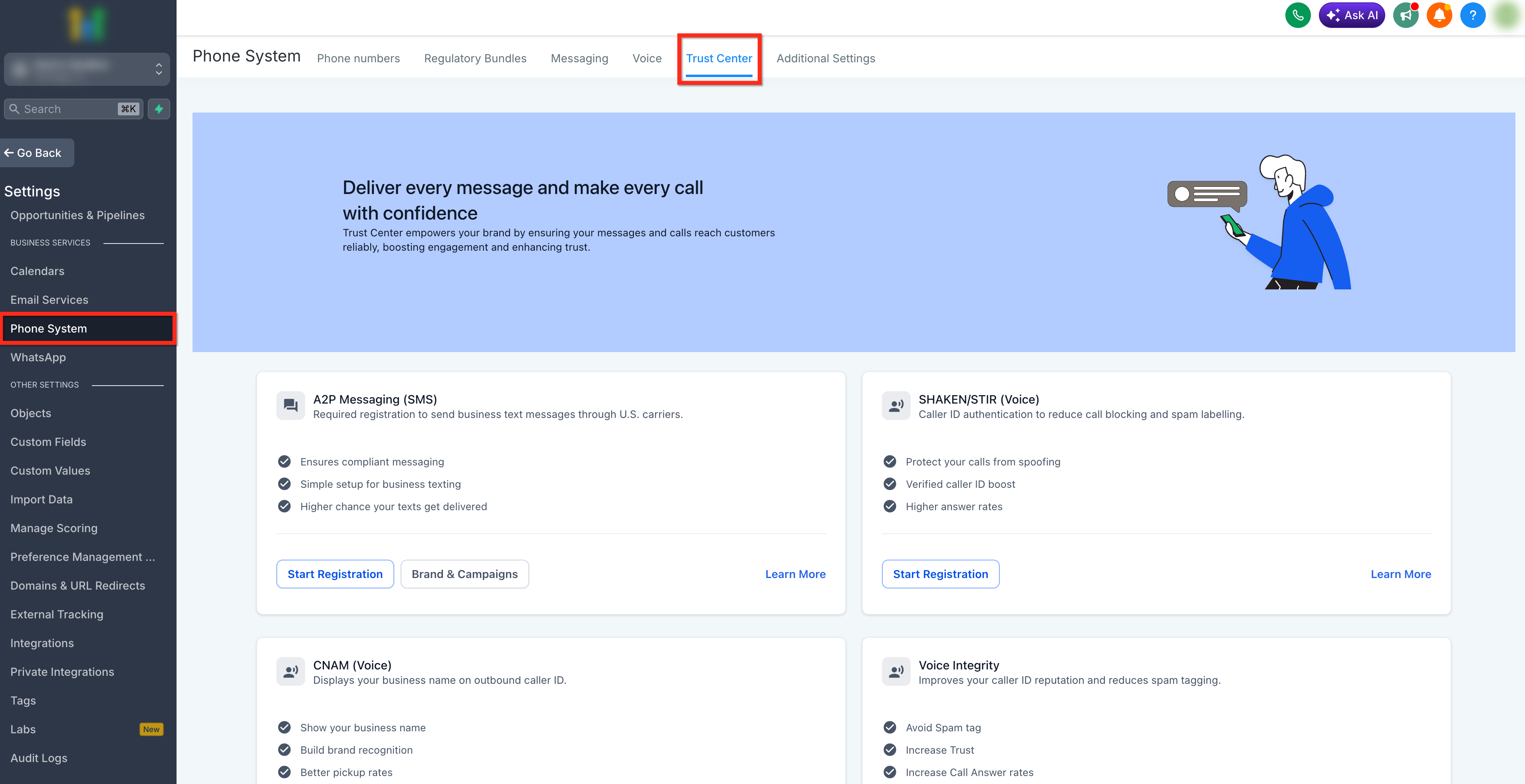
Use this registration type only when the applicant does not have an EIN or another business Tax ID, operates as an individual sole proprietor, has one employee, and can complete mobile OTP and identity verification.
Eligibility Requirements
- No EIN or other business Tax ID available.
- Operates under the owner's legal identity.
- Requires a valid US/CA mobile number for OTP (No VoIP/Google Voice).
Standard Brand
Standard Brand registration is designed for businesses registered with an EIN or other accepted business registration number. It allows greater messaging throughput and supports multiple phone numbers.
Accepted Business Registration Numbers
| Country | Required ID | Notes |
|---|---|---|
| United States | EIN | Must match CP-575 or 147C exactly. Do not use DUNS. |
| Canada | BN-9 | First 9 numeric digits only. |
| United Kingdom | Company Number | Registered with Companies House. |
| Australia | ABN | Australian Business Number. |
Trust Center Walkthrough
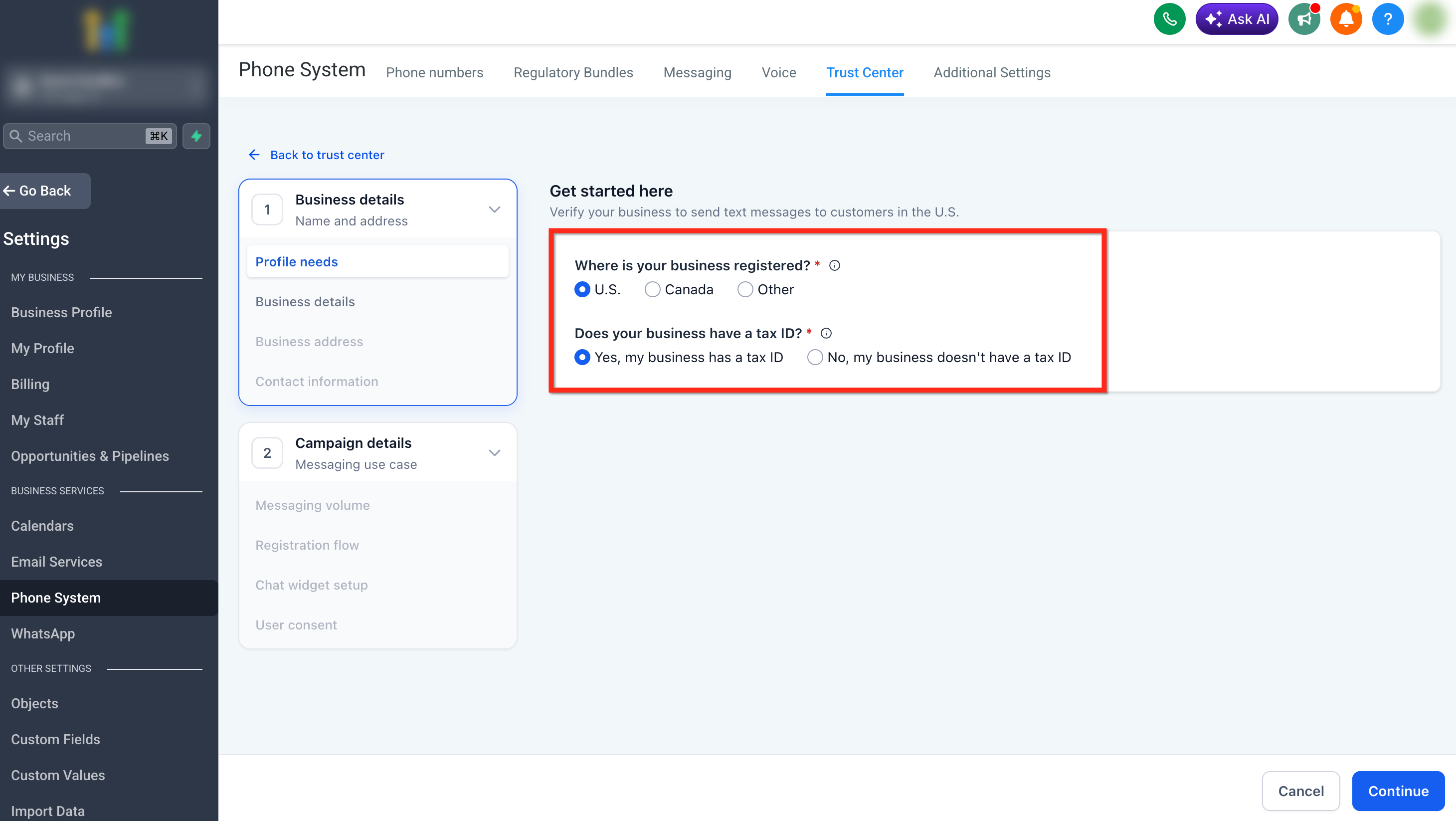
When starting registration in HighLevel, confirm the business has a Tax ID to route them to the Standard Brand path.
Quick Setup (Chat Widget Method)
The Quick Setup relies entirely on the HighLevel chat widget to satisfy carrier opt-in requirements. It is the most streamlined way to get approved.
✅ Pros
- Fastest path to approval (~48 hours).
- Pre-filled fields — no manual configuration needed.
- Lower risk of compliance mistakes.
❌ Cons
- Limited customization.
- Cannot have other custom opt-in forms collecting phone numbers on the website without triggering manual review.
Manual Setup Method
The Manual Setup requires you to submit specific URLs, opt-in flow descriptions, and sample messages. It is required if you capture leads via web forms, Facebook Lead Ads, or physical paper forms.
✅ Pros
- Supports custom opt-in methods (web forms, funnels).
- Full control over all compliance fields.
- Required for advanced marketing setups.
❌ Cons
- Higher chance of rejection due to data entry mistakes.
- Takes significantly longer for carrier approval.
- Requires strict alignment between campaign description, use case, and opt-in text.
Toll-Free Verification
Toll-Free messaging (numbers starting in 800, 888, 833, etc.) remains an attractive alternative to A2P 10DLC. It does not rely on Brands and Campaigns, but it does require a separate Verification process to lift messaging limits.
Compliance Checklist
- Business Use Case: A clear description of why you are messaging customers.
- Opt-In Image/URL: A screenshot or direct link to where the customer enters their phone number and checks the consent box.
- Message Content: Sample messages that match the stated use case.
Privacy Policy Guidelines
For A2P approval, your website must have a publicly accessible Privacy Policy linked in the footer. Carriers review this specifically for data sharing clauses.
Required A2P Clause (Sample)
Strict Prohibition: The policy should never mention affiliation, selling, or buying of leads.
Terms of Service Guidelines
Your Terms & Conditions (TnC) must be easily accessible (usually in the footer) and must explain the SMS program rules to the consumer.
Required SMS Terms (Sample)
1. You will receive [Marketing/Transactional] messages regarding [Your Service].
2. You can cancel the SMS service at any time by texting 'STOP'. Upon sending 'STOP', we will confirm your unsubscribe status via SMS.
3. If you experience issues, reply with 'HELP' for assistance.
4. Message frequency varies.
5. Message and data rates may apply."
Common A2P Error Codes
When sending messages fails, carrier error codes help identify the compliance issue.
| Error Code | Description | Resolution |
|---|---|---|
| 30034 | Message from an unregistered number (A2P 10DLC) | Ensure the sending number is successfully linked to an approved A2P Campaign in the Trust Center. (Sole Props are limited to 1 number). |
| 30032 | Toll-Free number has not been verified | Submit the Toll-Free verification form. Unverified numbers are heavily restricted or blocked entirely by carriers. |
| 30007 | Message filtered by carrier | The carrier flagged the message as spam, or the content violated SHAFT policies (Sex, Hate, Alcohol, Firearms, Tobacco). |
| 30004 | Destination number blocked | The recipient has previously replied "STOP" and must reply "START" to receive messages again. |